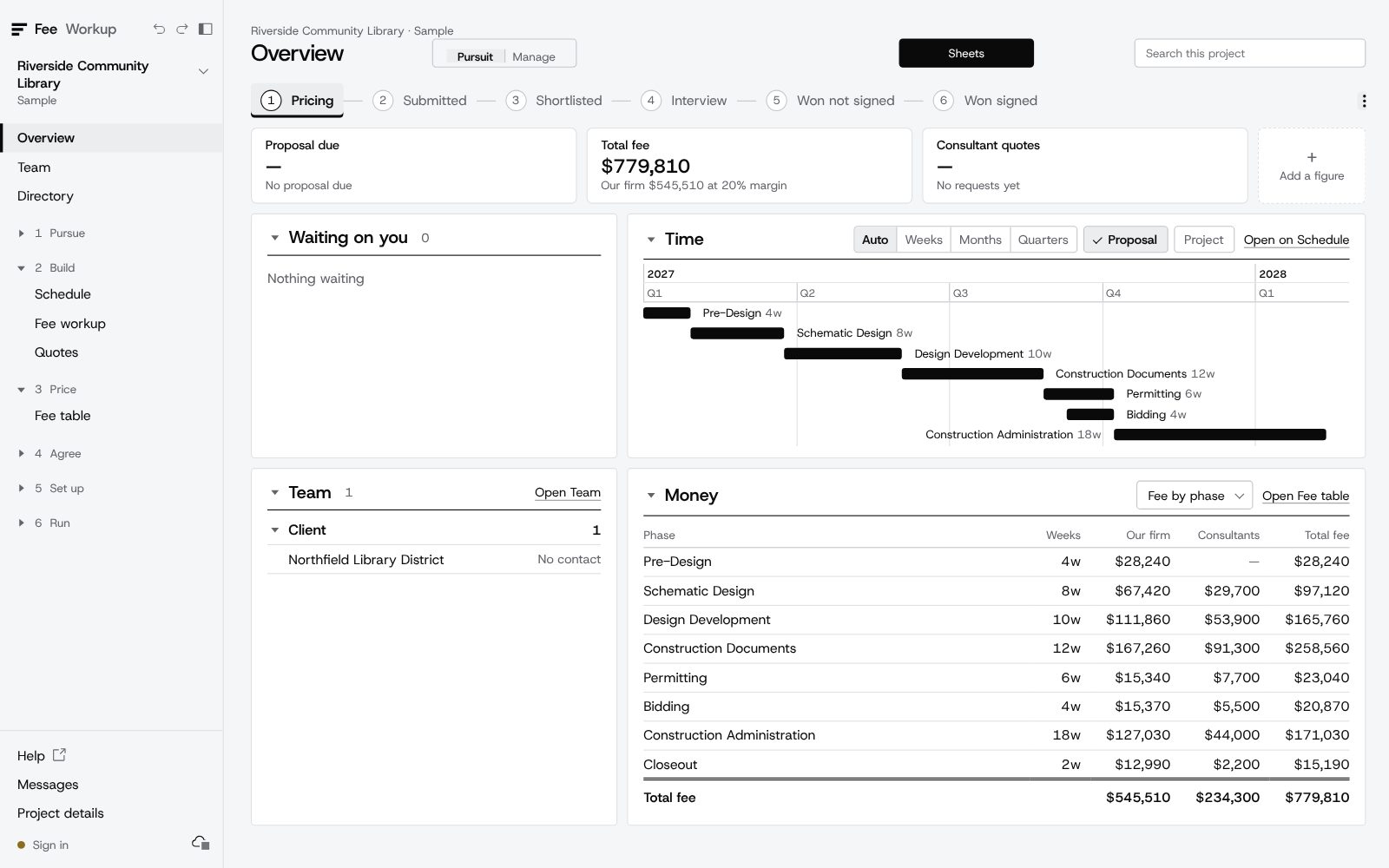
Know your fee before you send it.
FeeWorkup shows the same fee from the bottom up, from the top down, by margin and against construction cost. Consultants' quotes land in it, and the won job goes to the project manager as a plan. It doesn't pick your number. It makes sure the one you send is one you chose.
Early access for a small group of firms, with a founding-firm price. See how it works
Built by Neil Rubenstein, a senior project manager, for PMs and the principals who sign the fee.
Microsoft Project
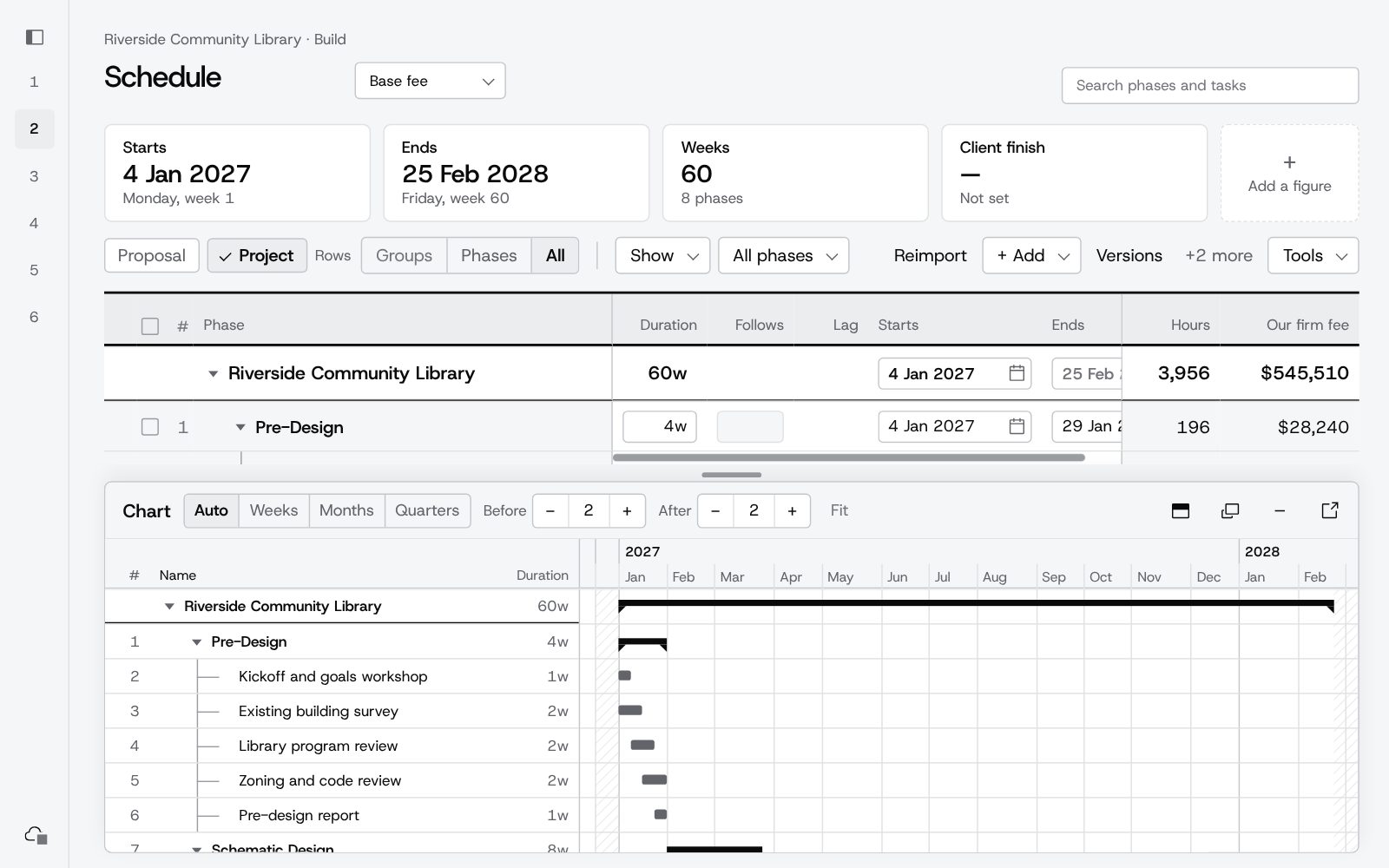
The schedule comes in from its XML export, and comes in again when it changes.
Excel and Word
Fee workbooks, fee sheets and proposal pages go out; figures from reports are pasted in.
Your project system
Once it's won, the hours and budget by phase and person, ready to enter wherever your firm runs its projects.
One number, and no chance to explain it.
The number
In a competition the fee is one figure against three other firms, with no room to explain it.
The check
Testing it by hours, by margin and against construction cost means three spreadsheets, so it often gets one.
The last day
Consultants' numbers arrive or change on the last day, and the total moves with hours to go.
After the win
The project manager fits the hours inside the fee, and that is when a thin one shows.
Six months after the contract is signed, nobody can say why the fee was what it was. FeeWorkup shows the fee from every side before it leaves the office.
Six stages, in the order a fee really moves.
- DocumentsThe RFP, consultants' proposals and the project's files kept with the project.
- SchedulePhases and tasks in a few minutes, or from an MS Project file, with a chart that drags.
- Fee workupYour people by discipline, hours a week in each phase; consultants and in-house departments in dollars.
- QuotesEach consultant's fee by phase, asked for and kept with their files, and carried into your fee to compare and accept.
- TeamBring in the principals and staff building the fee, and keep the client and consultants' contacts with the project.
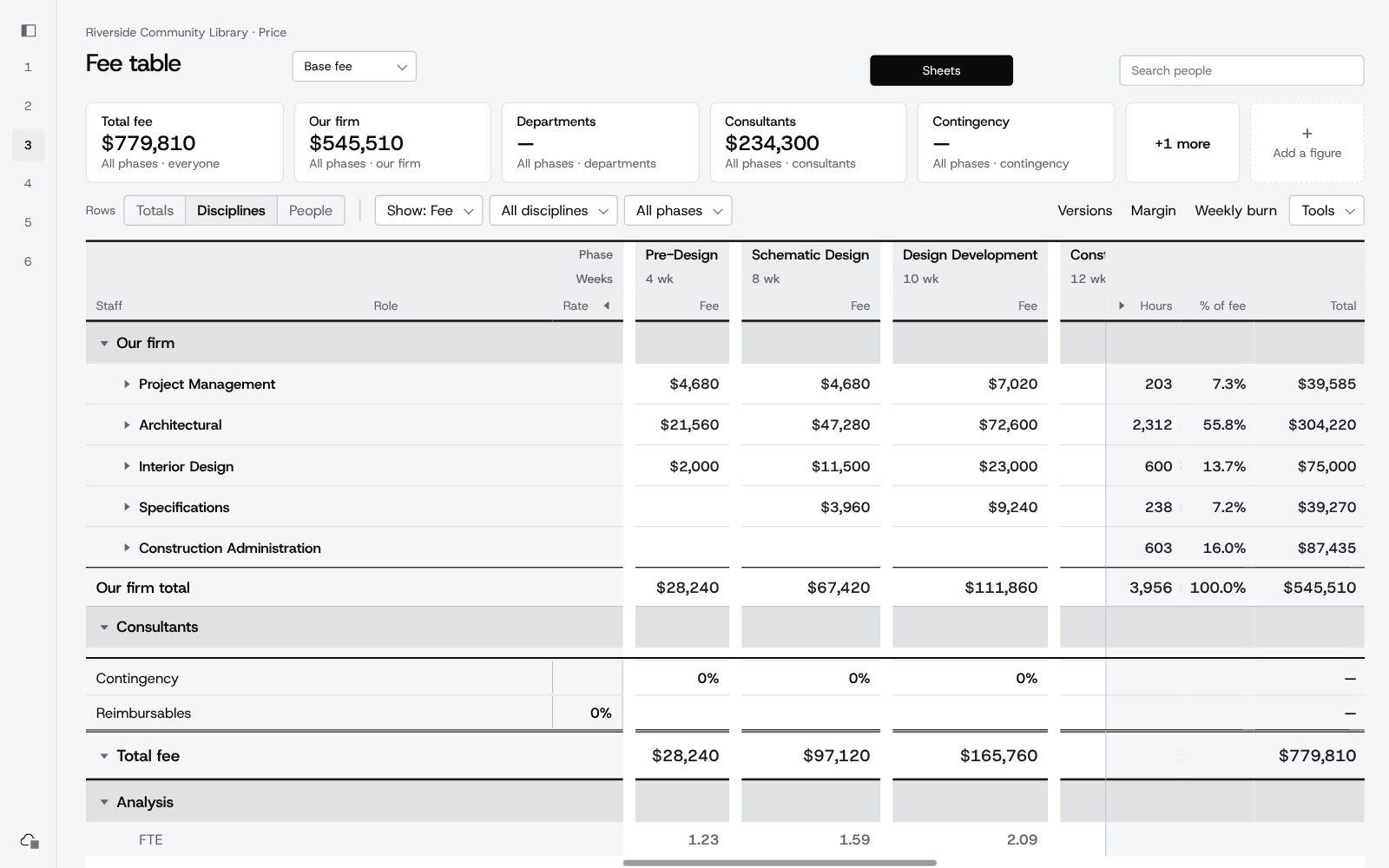
- Fee tableEvery phase, every discipline, consultants with markup, contingency and reimbursables. Change anything and the fee updates everywhere.
- MarginPrice at a different margin, keeping the hours or keeping the fee, person by person.
- ChecksWeekly burn, a target fee split across phases, fee per square foot, % of construction cost.
- VersionsEach version of the fee kept, from draft to sent to agreed, and compared side by side.
- Side by sideEach version you sent and the one agreed, compared figure by figure.
- Client formYour fee mapped onto the client's own phases and roles, ready to paste into their sheet.
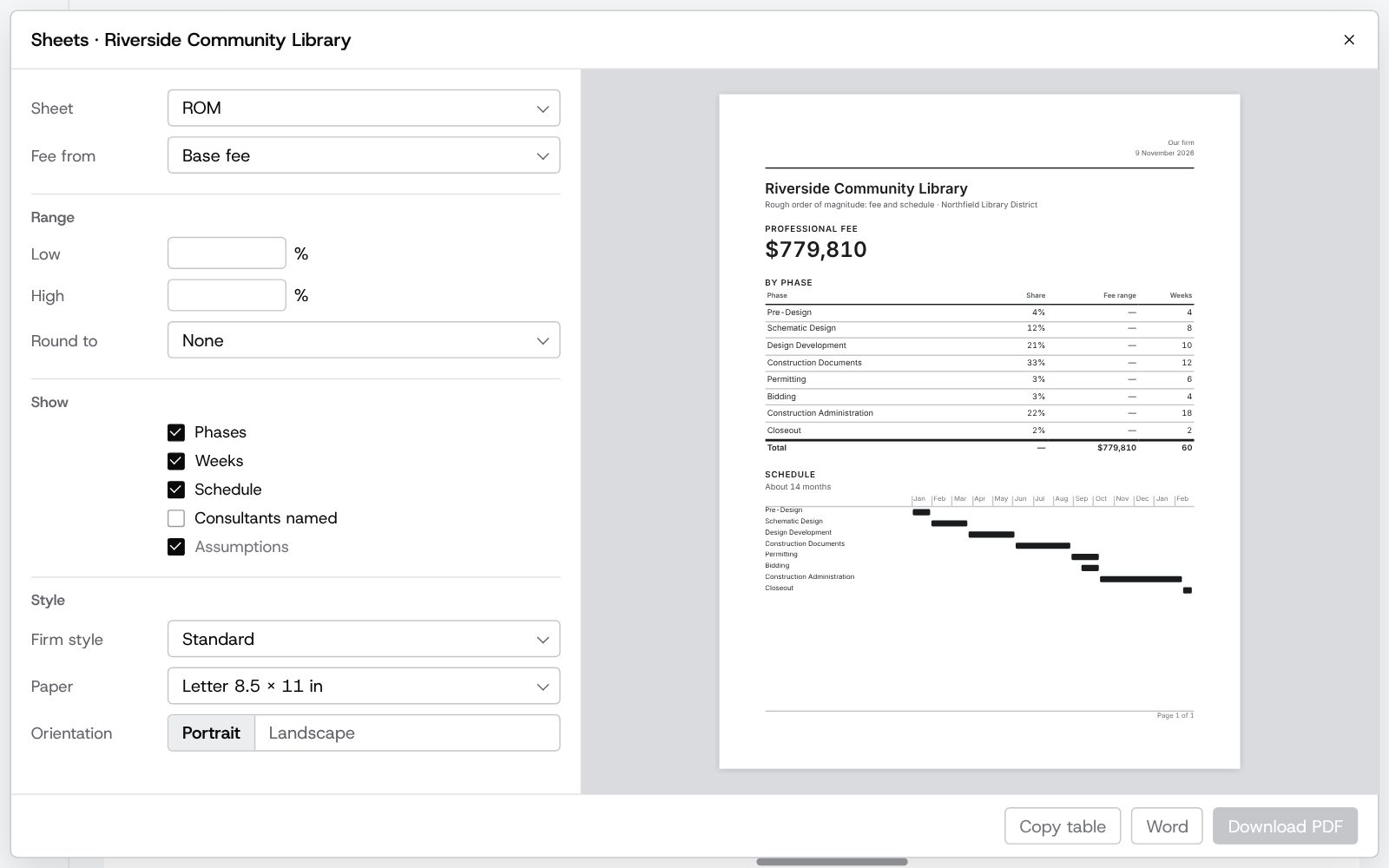
- SheetsA ROM range, a proposal fee sheet or a workbook, as PDF or Word, in your firm's style.
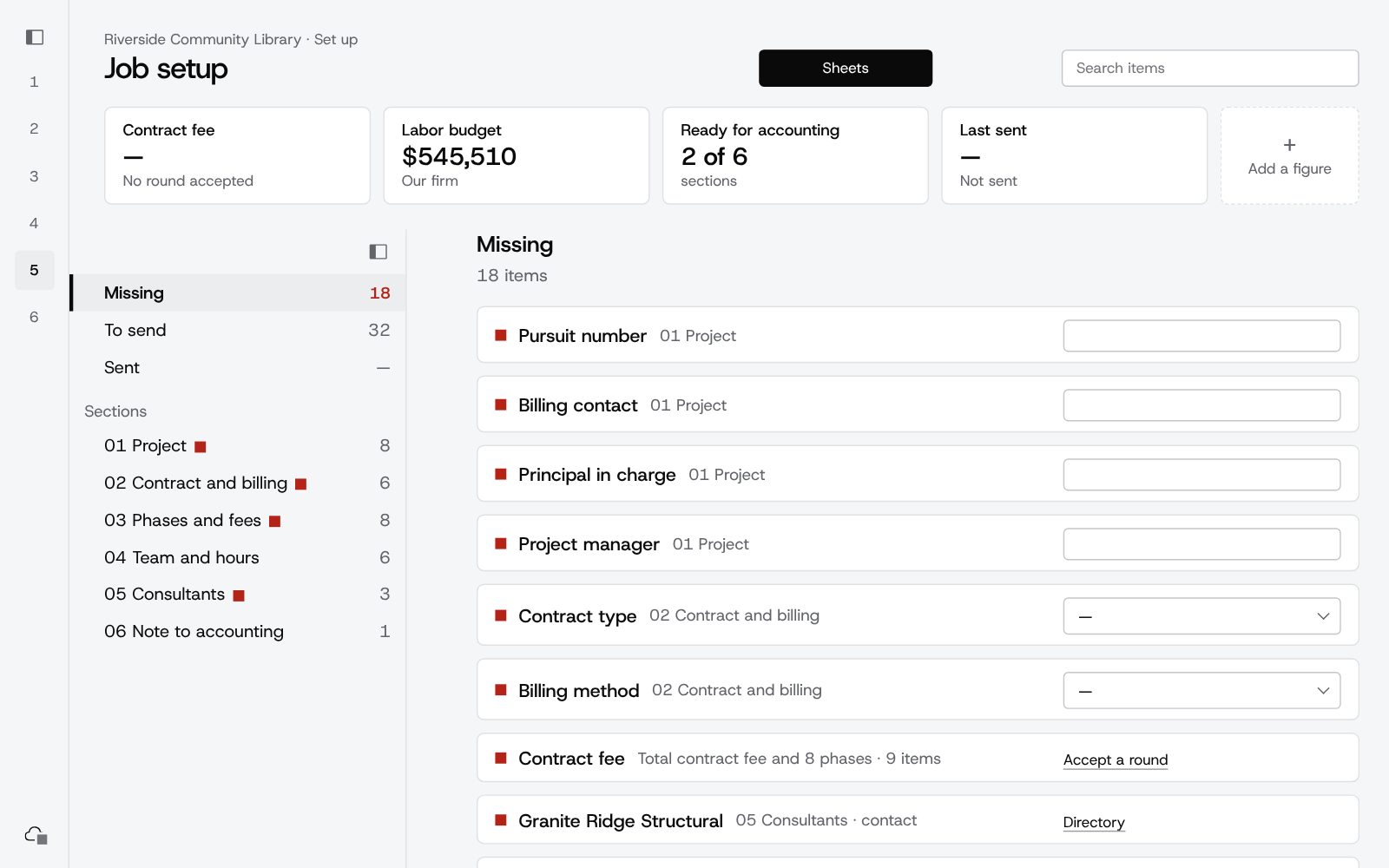
- Job setupEverything accounting needs to open the job, with what's missing marked, and sent in one go.
- BudgetHours and dollars by phase and discipline, ready to enter in your project system, each one marked as it's entered.
- Staffing planEach person's hours by week, with anyone over 40 hours flagged.
- TrackingCheck points from your reports: job to date, estimate at completion, and what's left.
- Add servicesEach additional service priced on its own, negotiated with the client, and added once agreed.
Try it on your next pursuit. Founding-firm price for early firms.
Request accessA fee you can put your name to.
Your fee stays yours
A fee is personal. Build it your way, from the hours up or from a target down. FeeWorkup shows you the same number from every side and never sets it for you.
Nothing is guessed
If a figure can't be read from your file, FeeWorkup tells you. It never fills in a number for you.
The math doesn't drift
The fee math is checked to the cent before every release. Try a change before you commit to it, and undo anything.
Your firm's projects stay your firm's
Each firm sees only its own work, with owners and members. Nothing is shared between firms.
Your firm's standards, once
Phases, margins, staff rates, consultants and your fee sheet style, set once for the whole firm.
Every pursuit on record
What you proposed, each version, and what was agreed, for every project, won or lost. Your next fee starts from your last one.
Start with one project.
FeeWorkup is opening early access to a small group of architecture and engineering firms. It works today and gets better every week.
Thanks. Your request is in.
- We read every requestAnd reply by email.
- Your firm is set upA sign-in for you, and your firm's own space.
- Start with one projectFrom a schedule, a sample or a blank fee.
Thank you. That helps a lot.
Before you sign up
Is it ready to use?
It's in early access: the whole path from schedule to budget works, and it's refined every week on real pursuits. Expect changes, and expect to be asked what you think.
Will it change how I price?
No. A fee is personal, and FeeWorkup leaves the judgment with you. It shows your number by hours, by margin and against construction cost, so you can see what you are sending before it goes.
Does it replace our accounting or project software?
No. FeeWorkup covers the work before the contract: the schedule, the fee and the negotiation. When the job is won, it hands the hours and budget to whatever system runs your projects.
Does it help with additional services?
Yes. Price an add service on its own, negotiate it with the client, and once it's agreed it joins the project's plan.
Do our consultants need an account?
No. They get a link by email, price your request on one page, and their quote lands in your fee for you to compare and accept.
Can it read my MS Project schedule?
Yes. Import the file, or build the schedule from scratch in FeeWorkup.
Where is my firm's data kept?
In the cloud, with each firm's projects and standards seen only by that firm. You sign in with a code sent to your work email. You can start with the sample projects or a test pursuit if you prefer.
What will it cost?
Founding firms: 30 days free, then $199 a month or $1,990 a year for up to 3 editors. See Pricing.